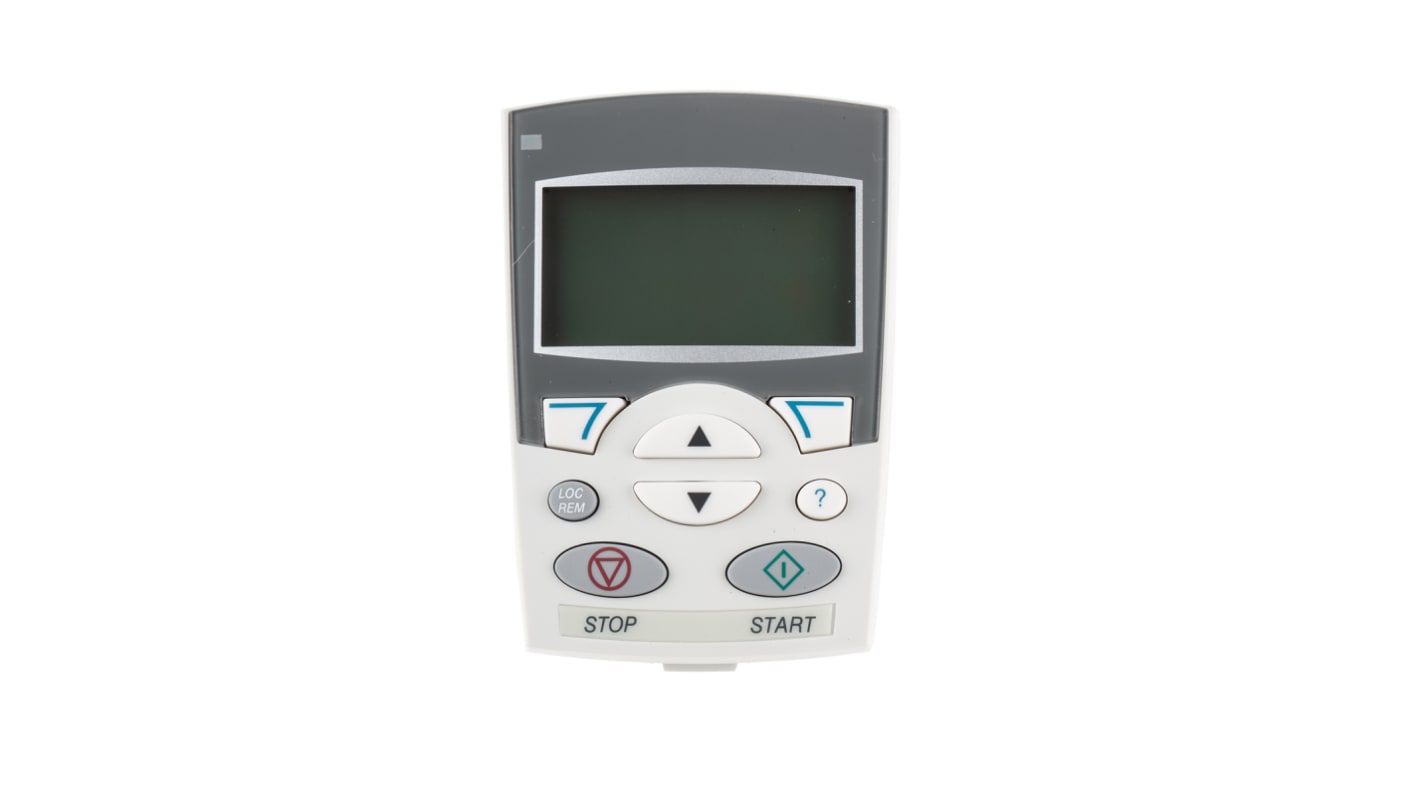
ABB ACS550 Operator Panel
- RS Stock No.:
- 511-0449
- Distrelec Article No.:
- 304-00-715
- Mfr. Part No.:
- ACS-CP-A
- Manufacturer:
- ABB

Currently unavailable
We don't know if this item will be back in stock, RS intend to remove it from our range soon.
- RS Stock No.:
- 511-0449
- Distrelec Article No.:
- 304-00-715
- Mfr. Part No.:
- ACS-CP-A
- Manufacturer:
- ABB
Specifications
Technical data sheets
Legislation and Compliance
Product Details
Find similar products by selecting one or more attributes.
Select all | Attribute | Value |
|---|---|---|
| Brand | ABB | |
| Accessory Type | Operator Panel | |
| Product Type | Inverter Drive Accessory | |
| For Use With | ACS550 Series, ACS350 Series, ACS355 Series, ACS310 Series | |
| Series | ACS550 | |
| Standards/Approvals | UL, CE, cUL | |
| Select all | ||
|---|---|---|
Brand ABB | ||
Accessory Type Operator Panel | ||
Product Type Inverter Drive Accessory | ||
For Use With ACS550 Series, ACS350 Series, ACS355 Series, ACS310 Series | ||
Series ACS550 | ||
Standards/Approvals UL, CE, cUL | ||
RoHS Status: Exempt
- COO (Country of Origin):
- CN
ABB Operator Panel, 8 Button Interface, M3 Screw Ports - ACS-CP-A
Control your standard drive with this operator panel from ABB. This unit is compatible with drives from the ACS310, ACS350, ACS355 and ACS550 series and can control multiple units at the same time. You can use it to copy parameter data from one drive to another or to back up a drive’s memory. Its large display is easy to read and the interface is simple and intuitive to use, with a built-in help button for easy access to assistance.
Features & Benefits
• Two soft keys for programming instant access to your most needed features
• Real-time clock to log faults and activate the device at a specific time
• Easy to set up with a new drive for quick device commissioning
• Provides fault diagnosis to heighten safety
• Multi-lingual interface makes operation more accessible
Applications
• Food processing machinery
• Conveyors
• Material handling
• Chemical plants
How do I navigate around this operator panel's features?
The device is designed to be used in a way you might recognise from using a mobile phone. Its backlit screen displays alphanumerical and graphical information, which you can scroll through using the grippy 'up' and 'down' buttons.
ACS 350 & 550 Assistant Control Panel
The assistant control panel features various assistants and a built in help function to guide the user. It includes a real time clock, which can be used as start/ stop. The control panel can be used for copying parameters for back up or downloading to another drive. A large graphical display and softkeys make it extremely easy to navigate.
Alphanumeric and graphical backlit display
Intuitive “mobile phone like” use
Allows parameters to be displayed and set
Start-up, maintenance and diagnostic assistants
Control of the drive with start, stop, forward and reverse keys
2 ’soft keys’
Help button that gives information from the manual
Gives suggestions to resolve a trip if one occurs
Upload and download capabilities to copy between drives
Real time clock and calendar
Fault logger with time and date stamping of 7 signals
Changed parameters list
I/O connection list
14 languages supported at the same time
ABB - ACS Range
Related links
- ABB ACS550 Operator Panel
- ABB ACS550 Tool
- Phoenix Contact Operator Panel Operator Panel for Use with ERS 1000 room operator panel
- RS PRO ACS-2 Series Activated Carbon Panel Filter, AC Grade w: 594 mm h: 594 mm d: 45 mm
- Phoenix Contact Operator Panel ERS 1000-R BK 1222439 Series Operator Panel for Use with ERS 1000 room operator panel
- RS PRO ACS-2 Series Activated Carbon Panel Filter, AC Grade w: 594 mm h: 292 mm d: 45 mm
- Festo Operator Panel CDSA Series Operator Panel,CDSA-D3-RV
- Phoenix Contact Operator Panel ERS 1000-L BK 1222441 Series Operator Panel for Use with Emalytics building management