Hard Drives
Hard drives, or hard disk drives (HDDs), are essential data storage devices used in computers and other digital systems. They can be internal drives (physically built-in to the PC, desktop, or laptop), and external drives, which connect via USB or other interfaces for portable, flexible storage.
Traditional hard drives consist of mechanical components: spinning magnetic platters, a motor, and an actuator arm with read-write heads, to store and retrieve data. In contrast, modern storage extensively uses flash memory technology, such as NAND flash used in solid-state drives (SSDs), which offer faster, more durable storage without moving parts.
Types of Hard Drives
Hard Disk Drives (HDDs)
Hard Disk Drives (HDDs) store data on rapidly spinning platters manipulated by magnetic read/write heads. They are a proven, cost-effective hard drive solution, offering immense storage capacity, with common options including 1 TB and much larger.
While they contain moving parts, HDDs remain popular for bulk data storage and cloud services due to their low cost per gigabyte, making them a dominant device in terms of global volume stored.
Solid State Drives (SDDs)
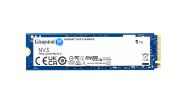
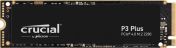
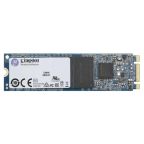
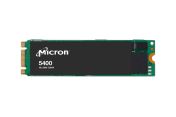
SSDs use flash memory chips to store data electronically, without any moving parts. Without the need for more moving parts, the solid-state design provides faster read/write speeds, greater durability, and lower power consumption compared to HDDs. SSDs come in various capacities (MB, GB, TB) and form factors, including 2.5-inch drives and compact M.2 modules.
Internal Hard Drives
An internal hard drive is permanently installed inside a computer, typically a desktop or laptop, mounted directly onto the PCB.
As the primary storage, it houses the operating system, applications, and main user data. Its integrated nature provides fast, direct access to essential files, making it the foundational storage component for most modern computing devices.
External Hard Drives
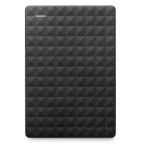
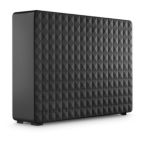
An external hard drive provides additional storage outside the main computer unit, connecting via high-speed cables like USB, Thunderbolt, or other interfaces. Being portable, these devices are ideal for backing up important files, transporting large datasets between systems, or simply expanding storage space when internal capacity is limited, offering flexible data management.
Benefits of HDDs & SDDs
Hard Disk Drives (HDDs)
- Proven Technology: HDDs’ decades-long history confirms dependable performance for long-term data storage.
- Cost Effective: Hard Disk Drives offer the most economical storage solution per gigabyte, making them highly cost-effective for large-scale data archives, backup systems, and bulk storage needs.
- High Storage Capacity: HDDs provide exceptionally high storage capacities, ideal for storing vast amounts of data, including multimedia files, databases, and system backups.
Solid State Drives (SSDs)
Fast Performance: SSDs offer significantly faster read/write speeds due to flash memory, resulting in quicker boot times, rapid application loading, and accelerated file transfers.
- Durability: The absence of mechanical components makes SSDs inherently more durable and resistant to physical shock and vibration, reducing the risk of data loss from accidental drops or impacts.
- Compact and Lightweight: SSDs are significantly smaller and lighter than HDDs, enabling compact device designs.
- Low Failure Rates: SSDs exhibit lower failure rates due to solid-state construction and no mechanical wear.
- Energy Efficient: While initially higher in upfront cost, SSDs are more power-efficient than HDDs. Less energy used means longer battery life in portable devices and reduced operating costs for servers.
Industry Applications of Hard Disk Drives (HDDs) and Solid State Drives (SSDs)
Hard drives and SSDs are fundamental to data management across countless industries. From storing vast archives to powering critical operations, these storage solutions underpin modern digital infrastructure in Singapore and globally.
Data Centres
Data centres heavily rely on both HDDs and SSDs. HDDs store massive cold data and large-scale archives due to their cost-effectiveness. SSDs, conversely, power high-performance computing, virtualisation, and frequently accessed "hot" data, ensuring rapid response times and efficiency in demanding server environments for cloud services.
Surveillance Systems
In surveillance, HDDs offer cost-efficient, high-capacity storage for continuous video recording from numerous cameras, creating extensive historical archives. SSDs, with their superior durability and speed, are used in rugged edge devices or for rapid access to critical footage and analytics in more advanced security setups.
Enterprise Backup Solutions
HDDs are widely chosen for large-scale, cost-effective archival and backup solutions across enterprises. They provide ample space for comprehensive data retention. SSDs are increasingly utilised for faster recovery and backup of critical, frequently accessed data, dramatically improving recovery point objectives and ensuring swift business continuity after data incidents.
Media & Entertainment
The media and entertainment industry depends on storage for large files. SSDs provide rapid read/write speeds for video editing, graphic design, and rendering workflows, essential for professionals seeking high performance. HDDs offer vast, economical storage for massive project files, raw footage, and media archives in film, music, and gaming.
Education & Research Institutions
Hard drives and SSDs store extensive research data, large datasets for analysis, and virtual environments for academic computing. SSDs offer speed for high-performance computing clusters and quick application loading, while HDDs provide economical bulk storage for extensive academic archives and historical research data.
Manufacturing & Engineering
In manufacturing, SSDs provide rugged, reliable storage for industrial PCs and automation systems, resisting vibration and harsh conditions on the factory floor. HDDs are used for long-term storage of extensive design files, sensor data, and operational logs, supporting engineering, quality control, and predictive maintenance processes.
SSD vs. HDD
While both SSDs and hard drives fulfil the essential role of data storage, their underlying technologies result in distinct advantages and disadvantages across various performance metrics.
- Speed and Performance: SSDs offer significantly faster boot times, application loading, and data transfer rates (hundreds to thousands of MB/s) compared to HDDs (30-150 MB/s). This difference is due to SSDs being electronic with no moving parts, unlike HDDs which are limited by platter rotation speed.
- Durability: HDDs have delicate mechanical components vulnerable to damage from drops or jolts. In contrast, SSDs are solid-state devices with no moving parts, making them far more durable and resistant to physical shock, ensuring greater data safety, especially in portable devices.
- Cost per Capacity: HDDs generally offer a much lower cost per gigabyte, making them the more economical choice for large-scale data storage and backups. While SSD capacities can reach multiple TBs, their price per gigabyte remains higher, particularly for very large drives.
- Noise and Power Consumption: HDDs produce audible noise from spinning platters and moving read arms, and consume more power. SSDs, being non-mechanical, are completely silent and significantly more energy-efficient, leading to lower energy bills and extended battery life in laptops.
- Form Factors: HDDs are limited to standard sizes (2.5-inch, 3.5-inch) due to mechanical design. SSDs are inherently smaller, available in 2.5-inch and compact M.2 (gum-stick-sized) formats that connect directly to motherboards, allowing for thinner device designs and more flexible integration.
- Longevity and Wear: Both drive types wear out over time. HDDs fail due to mechanical wear. SSD cells have a finite number of write/erase cycles, but technologies like TRIM and wear levelling optimise this, meaning systems often become obsolete before SSDs reach their end of life from normal use.
Shop Hard Drives at RS Singapore
RS Singapore is a trusted supplier and distributor of essential memory and data storage devices. Our range includes high-quality hard drives and SSDs sourced from reputable brands like Transcend, InnoDisk, and Kingston, ensuring reliable performance for all your data needs.
Beyond memory and data storage devices, we also provide a comprehensive range of other computing and peripherals components, such as keyboards, desktop printers, and monitors, addressing diverse needs from industrial applications to optimising your home office setup.
To procure the ideal items for your needs, browse our user-friendly online site for the full range of offerings and have them shipped to your door. With our flexible delivery options, we ensure that you receive your items on time, wherever you are in Singapore.
For more details on delivery times and fees, please consult our delivery information page.

Popular Searches
Related links
- iStorage IS-DT2 External Hard Disk Drive
- Western Digital WD221KRYZ SATA 22 TB External Hard Disk Drive
- iStorage diskAshur2 63 mm 500 GB External Hard Disk Drive
- Seagate SKYHAWK 4 TB Internal Hard Disk Drive
- Seagate SKYHAWK AI 12 TB Internal Hard Disk Drive
- Seagate SKYHAWK AI 8 TB Internal Hard Disk Drive
- Seagate ST8000VN004 3.5 in 8 TB Internal Hard Disk Drive
- iStorage diskAshur2 1 TB External Hard Disk Drive