USB Hubs
A USB hub is a device that expands a single USB port on a computer into multiple ports, allowing you to connect several peripheral devices simultaneously. USB hubs vary widely in size—from compact micro USB hubs ideal for travel and limited spaces to large docking stations that support 16 or more USB connections, perfect for fully equipped workstations.
It is important to distinguish a true USB hub from a basic USB splitter; true hubs intelligently manage data transfer for each port independently, allowing multiple devices to function simultaneously without conflicts, whereas splitters generally cannot handle concurrent data streams from multiple complex peripherals.
Types of USB Port Hubs
USB hubs are categorised based on several key factors: how they receive power, the data transfer speeds they support, and the types of ports they offer.
Understanding these distinctions is crucial for selecting a multiport hub that meets the performance and connectivity needs of your specific devices and workflow.
Powered USB Hubs
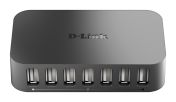
A powered, or self-powered, USB hub has its own external power supply that plugs directly into a wall socket. This allows it to deliver the full, specified power to each USB port independently of the host computer.
They are essential for connecting multiple high-draw peripherals, such as external hard drives, printers, scanners, and webcams, as they provide a stable and consistent power supply.
Unpowered (Bus-Powered) USB Hubs
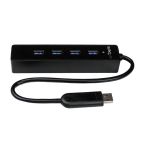
An unpowered, or bus-powered, hub has no external power source and draws all its electricity directly from the USB port of the connected computer. This limited power is then shared among all devices plugged into the hub.
Because of this, they are only suitable for connecting low-power peripherals like keyboards, mice, and flash drives.
USB 2.0 Hubs
USB 2.0 is an older standard that offers a data transfer speed of up to 480 Mbps. While slower than modern standards, USB 2.0 hubs are a highly cost-effective solution for basic connectivity needs. They are perfectly adequate for connecting standard input devices like keyboards and mice where high-speed data transfer is not a requirement.
USB 3.0 / 3.1 / 3.2 Hubs
Representing a significant leap in performance, USB 3.x hubs support much higher data transfer speeds, ranging from 5 Gbps (USB 3.0) to 20 Gbps (USB 3.2). These hubs are the standard choice for professional use, essential for connecting high-speed external storage, transferring large files, and ensuring the smooth operation of high-resolution cameras.
USB-C Hubs
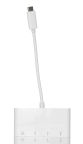
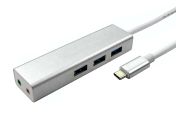
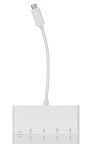
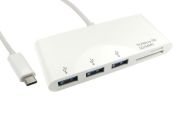
USB-C hubs utilise the modern, reversible USB-C connector and often provide a mix of both USB-C and traditional USB-A ports. Many also support advanced features like Power Delivery (PD) for charging a laptop through the hub itself, and alternate modes for video output (DisplayPort).
Docking Stations
A docking station, sometimes called a multiport adapter, is the most advanced type of USB hub, designed to transform a laptop into a full desktop workstation with a single connection (often via USB-C or Thunderbolt). In addition to providing multiple USB ports, a docking station typically includes a wide array of other connections, such as HDMI or DisplayPort for external monitors, an Ethernet port, audio jacks, and SD card readers.
Benefits of Using a USB Hub
- Expand Connectivity: USB hubs increase the number of available ports, allowing multiple devices to connect simultaneously without having to plug or unplug other devices.
- Organise Workspace: A multiport hub centralises connections and reduces cable clutter, creating a cleaner and more accessible workspace.
- Improve Productivity: Easy access to multiple devices streamlines workflows, enabling quick switching between peripherals such as printers, external drives, and scanners.
- Support Power-Hungry Devices: Powered USB splitters supply consistent, sufficient power to connected peripherals, preventing device disconnects and performance issues caused by insufficient power.
- Versatility: USB-C hubs support additional functionalities like charging and video output, enhancing device compatibility.
Applications of USB Hubs
The need to expand device connectivity is not limited to standard offices; USB hubs are a critical tool in a diverse range of specialised and demanding professional fields. Key applications include:
Medical and Industrial Automation
In medical settings and automated factories in Singapore, industrial-grade USB hubs are used to connect a variety of specialised peripherals to a central control system or industrial PC. This can include everything from diagnostic medical devices and laboratory equipment to the barcode scanners, sensors, and programming tools used on a manufacturing production line.
Oil and Gas
Within the demanding oil and gas industry, ruggedised USB hubs are used in both onshore and offshore environments. They provide reliable connectivity for data logging equipment, diagnostic sensors, and communication devices that connect to laptops and control systems in harsh conditions.
Security
In modern security and surveillance systems in Singapore, USB hubs are often used to connect multiple peripheral devices to a central monitoring or recording station. This includes connecting numerous USB cameras, access control readers, and other security hardware to a single computer.
Photographers and Videographers
For professional photographers and videographers, a high-speed USB-C hub or multiport adapter is an essential part of their mobile workflow. It allows them to simultaneously connect multiple external hard drives for backups, SD card readers for offloading footage, and external monitors for editing on a laptop.
Remote and Hybrid Workers
With the rise of remote and hybrid work, advanced USB hub models like multiport adapters and docking stations have become a key tool for creating a productive home office. They allow a remote worker to connect their laptop to a full desktop setup with just a single USB-C cable.
How to Choose the Correct USB Hub
- Assess Power Needs: For power-hungry devices (external drives, webcams), choose a powered USB hub to ensure steady electricity supply. For low-power devices (keyboards, mice), unpowered hubs can suffice.
- Verify Data Speed Compatibility: Match the USB hub standards (USB 2.0, 3.x) with your device capabilities to optimise transfer speeds and performance.
- Consider Port Types and Quantity: Identify the number and types of ports needed (USB-A, USB-C) including any requirement for specialised ports like charging or video output.
- Check Additional Features: Features like Power Delivery (PD), quick charging, external power adapters, and compatible video modes (DisplayPort, HDMI) enhance functionality.
- Portability and Size: Choose compact multiport hubs for travel and mobile use. Workstation setups can use a larger, more comprehensive USB hub adapter to fit more devices.
How to Order USB Hubs from RS Singapore?
Expand your computer's connectivity with the right USB hub from RS Singapore. As a leading supplier of computer peripherals and components, we stock a comprehensive range of USB hubs from leading technology brands, including StarTech.com, Exsys, and Hama. Explore our full online catalogue to find the perfect USB hubs, computer keyboards, and USB cables to complete your workstation setup.
Ordering your computer hardware from RS is a simple and efficient experience. Simply select the products you need, add them to your online basket, and follow the instructions on our secure checkout page to complete your purchase. We offer a variety of payment methods to suit both business and personal transactions. For all details on shipping options, delivery schedules, and our service coverage in Singapore, please visit our dedicated Delivery Information page.
Popular Searches
Related links
- NewLink 7 Port USB 3.0 USB Hub 167 mm
- Hama 4 Port USB 3.2 USB C Hub 3.2 cm 1.2 cm 9.8 cm
- Hama 12 Port USB 3.2 USB C Hub 5.5 cm 1.5 cm 13.4 cm
- Hama 6 Port USB 3.2 USB C Hub 4.3 cm 1.12 cm 9.25 cm
- Hama 5 Port USB 3.2 USB C Hub 2.5 cm 1.2 cm 12.1 cm
- NewLink 4 Port USB 2.0 USB Hub 125 mm
- Hama 4 Port USB 2.0 USB C Hub 2.2 cm 3.8 cm 8.9 cm
- StarTech.com 16 Port USB 3.2 USB Hub, USB Powered 0.2 in 1.2 in